Keep the live book, chart history, valuation context, and market news beside each other
so you move from what is moving to what is priced without leaving the session.
Session-awareOpen / closed in East Africa Time, with the book updating as the tape moves.
Whole boardBanks, industrials, insurance, REITs and more — with company marks and fundamentals.
Decision layoutOverview → Charts → Valuation → Calendar → News, or jump straight to a ticker.
Peer multiples, book-value screens, and capital doubling
Peer screen—
Company
Last
P/E
vs sector
P/B
Yield
Score
Assessment
Why
Rule of 72
Capital doubling
Years for capital to double at the selected dividend yield, and the compounded 10-year factor.
Years to double—
10-year factor—
Investor calendar
Official NSE company calendars — AGMs, results, dividends and briefings
Events—
Companies—
Upcoming—
SourceNSE
Dated eventsLoading…
Gathering official NSE calendar documents…
Market news
NSE, shares, banks & capital-markets headlines
By time—
NSE Kenya market intelligence
About SokoDesk
How the desk calculates value, how to read every screen, and how to use it as research — not a trade order.
Mission
SokoDesk is a Nairobi Securities Exchange research desk built for independent broker–style workflows. It favours business value over ticker momentum: price-to-book discounts, relative price-to-earnings, dividend sustainability, and transparent peer screens.
The Genius Advisor ranks ideas; you decide risk, size, and timing. Live quotes cover the full Kenya equity / preference / REIT / ETF board (~72 listings). Charts use local OHLC history (never third-party chart symbols). News is filtered to stocks, banks, NSE, CBK, and capital-markets stories — opened inside the desk with publisher credit.
Research desk, not a broker — no order routing, no account balances, no “buy now” buttons that execute trades.
Full board visibility — every NSE Kenya name the universe module knows, with logos and fundamentals where available.
Explainable math — every multiple and label on Valuation (and staff Insights) maps to the formulas below.
Where data comes from
Prices & volume
Live prices come from public MyStocks / NSE web data (no broker login). Charts use verified local history archived in the database. Feed mode on the desk shows mystocks / web health.
Fundamentals
Market cap, net profit, and shareholders’ equity drive P/E and P/B. Dividend per share (DPS) drives yield and Rule of 72. When live fundamentals are incomplete, the desk blends curated / mock book values so screens stay usable — flagged in Limits.
OHLC history
Charts load local NSE history bars for the selected ticker and interval. Indicators (SMA, EMA, Bollinger, RSI, volume) are computed in the browser on those bars — not from TradingView symbol feeds.
News
Capital FM Business, Standard Media Business, and targeted Google News market queries. Stories are filtered to market keywords, normalised with publish dates, and illustrated when a publisher image is found.
Advice
Heuristic Genius Advisor by default (P/B, relative P/E, yield, value score). Optional Gemini commentary when GEMINI_API_KEY is set — same card layout either way. Staff rankings live under Admin → Insights.
Logos
Local marks under /static/logos/ (SVG preferred, PNG favicons as fallback). Rendered with transparent plates and object-fit: contain so brands stay sharp and undistorted.
How we calculate everything
All multiples use the latest desk book row for that ticker. Blank cells mean the input was missing or non-positive (e.g. loss-making year for P/E).
Price-to-Earnings (P/E)
P/E = Market Cap ÷ Net Profit
Interpreted as approximate years of earnings to “pay back” the equity value at today’s price. Non-positive earnings → P/E is blank. On Valuation we also show vs sector: percent distance of a name’s P/E from the peer average for the active sector filter (or full board when “All sectors”).
Lower than sector average → earnings look cheaper than peers (context matters: banks vs telcos).
Much higher than peers → growth premium or stretched valuation — dig into charts and news.
Price-to-Book (P/B)
P/B = Market Cap ÷ Shareholders’ Equity
P/B < 1.0 means the market prices the company below stated book equity — the core “buy the business” filter for this desk. Premiums (P/B ≫ 1) need stronger earnings quality, franchise value, or growth to justify.
Valuation status labels
Deep Discount — P/B < 1 and P/E under half the sector average (when P/E exists).
Undervalued — P/B < 1.
Below Sector P/E — P/E under the peer average while book is not clearly discounted.
Premium to Book / Sector Premium — trading above book (and sometimes above sector P/E).
Fair / Neutral — otherwise.
These are screening labels, not buy/sell orders. Always combine with sector knowledge (e.g. banks often trade near book; growth names may sit above).
Dividend yield
Yield % = (Annual DPS ÷ Last Price) × 100
Uses the desk’s annual DPS field and last traded price. Suspended, IPO, or zero-DPS names show blank / 0% and are excluded from Rule of 72 picks when yields are outside a sane band.
Rule of 72 (capital doubling)
Years to double ≈ 72 ÷ Yield%
Also shown: 10-year compound factor = (1 + yield)10. This assumes dividends are reinvested at a constant yield — a teaching approximation, not a forecast. Use only sane yields (roughly 0.5%–25%); extreme yields often mean a one-off or distressed payout.
Value score
Composite 0–100 style score blending book discount and relative earnings cheapness. Higher = more attractive on pure value heuristics. It does not score management quality, liquidity, or governance — use Equities columns and news for that.
Technical / breakout score
Secondary overlay from local OHLC: EMA trend alignment, RSI zone, and volume surge heuristics. Shown as signal context on Equities and staff Insights — valuation remains primary.
Session stats (Overview)
Advancers / decliners / unchanged count live rows (excluding IPO). Average change, total volume, and “priority watch” pull names the desk flags for attention (value + activity mix).
Genius Advisor ranking
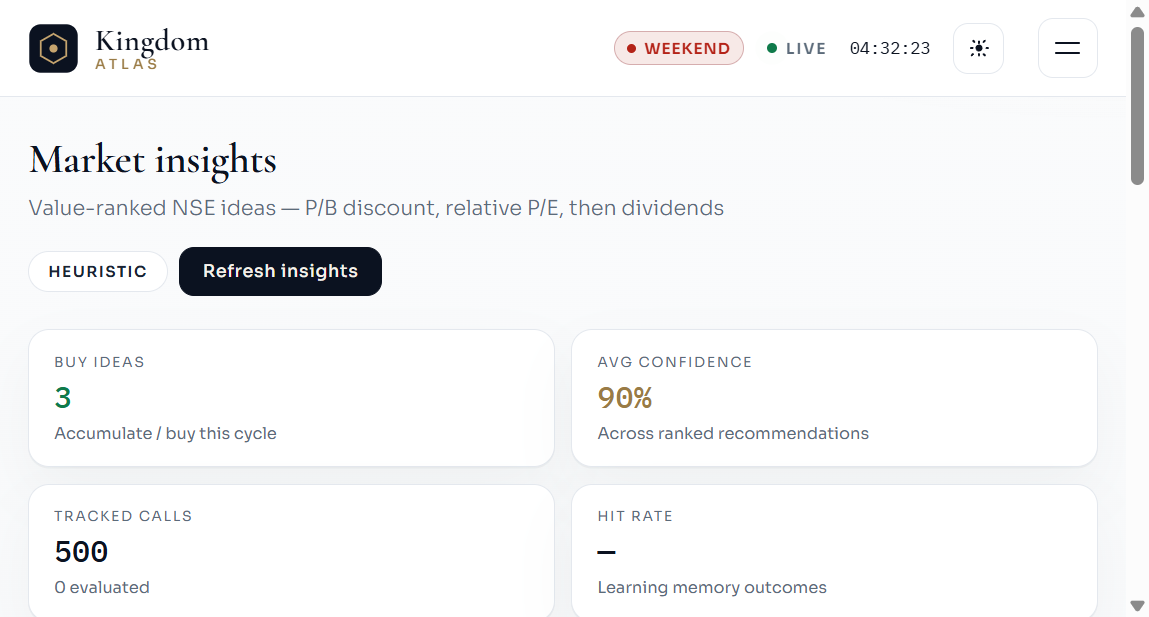
Heuristic mode ranks names by undervaluation signals first, then dividend support, then value score. Each idea card includes:
Confidence — heuristic strength of the signals that fired.
Entry — last price at ranking time.
Target — illustrative upside path (not a guaranteed level).
Thesis & risks — short text explaining why the name ranked and what can go wrong.
Learning memory tracks past calls when outcomes are recorded (hit rate KPIs). Staff Insights in Admin refresh on demand (and can include Gemini commentary when configured) — still not personalised advice.
Page walkthrough (live desk)
Work through each screen below in order. Every shot is from this running SokoDesk instance — tags call out what to notice before you move on.
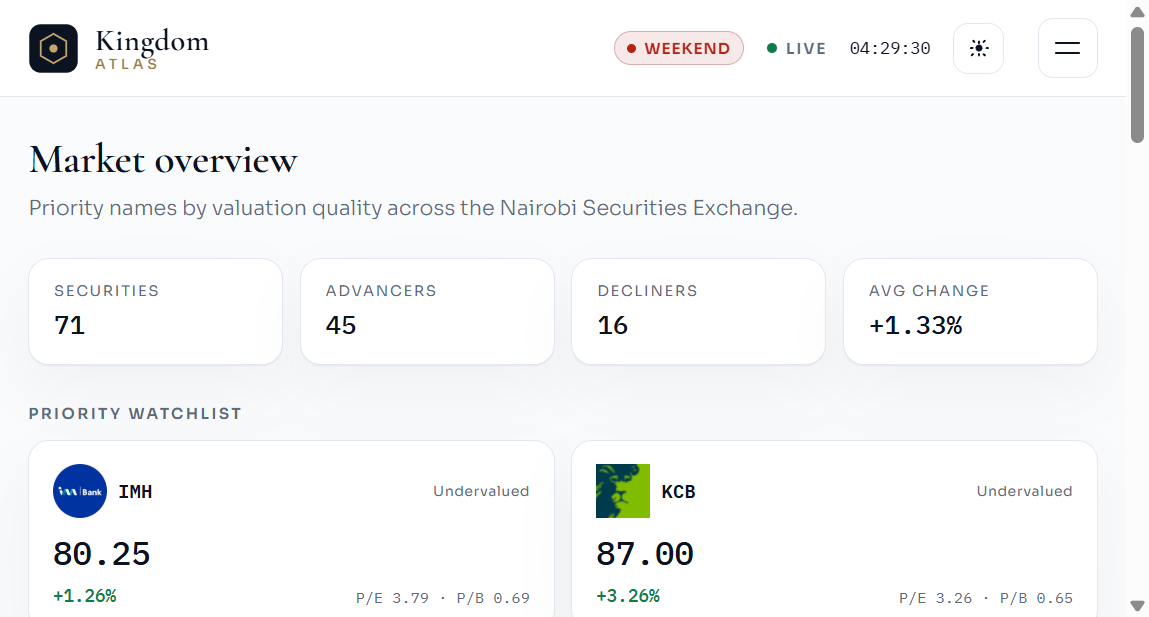
1 · Overview
Start here each session. Overview answers “is the board alive?” and “which names deserve attention first?” Session stats show breadth; the priority strip surfaces value-quality names; movers flag noise vs opportunity; the news strip keeps CBK and earnings context beside the tape.
Overview — hover any ticker for P/E, P/B, yield, and score; click to jump into Charts on that name.
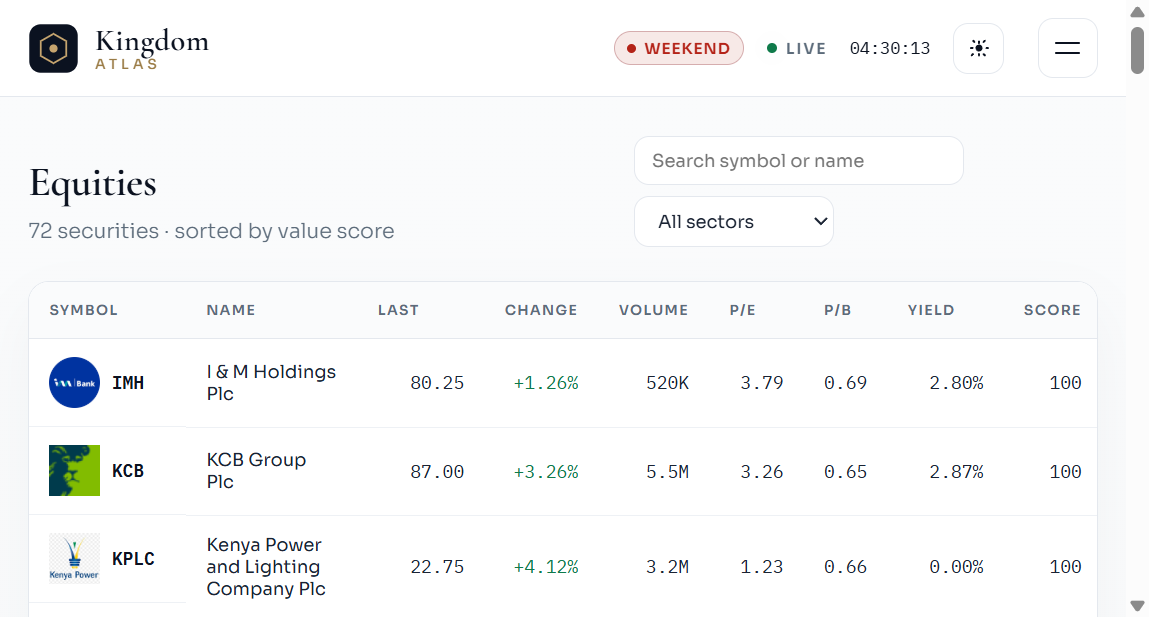
2 · Equities
Equities is the full NSE Kenya board in one table. Use search and sector filters, then scan last price, change, volume, P/E, P/B, yield, value score, signal, and status. Status labels should match what you later confirm on Valuation.
Full board (~72)Sector filterP/E · P/B · YieldValue score
Equities — logos stay transparent and readable; thin volume usually means harder exits.
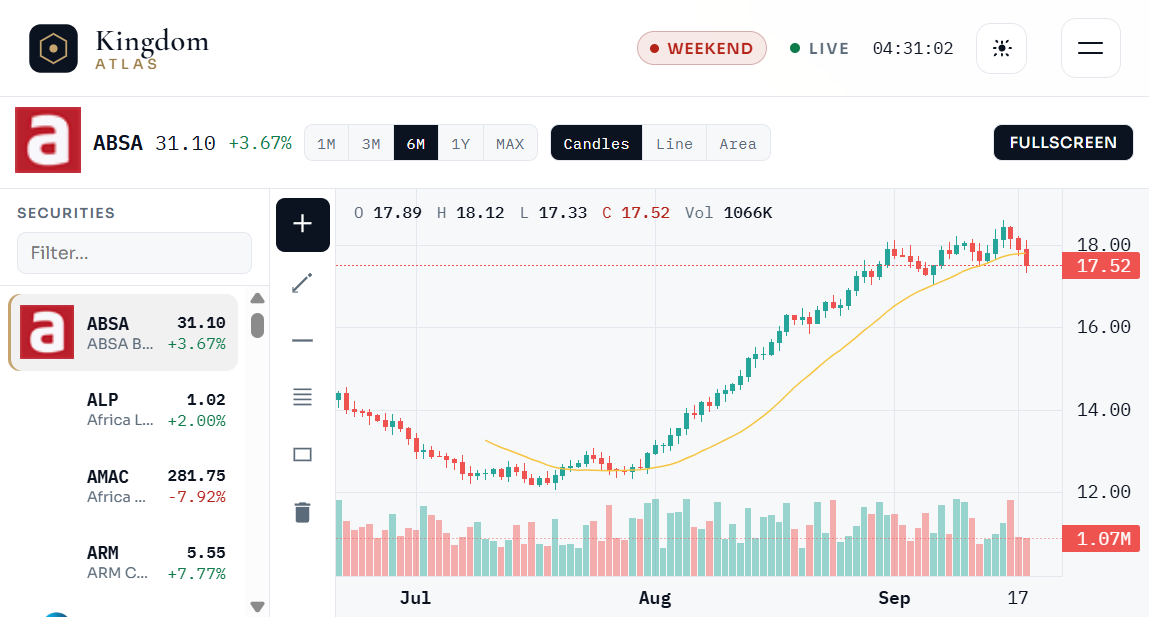
3 · Charts
Charts is a local TradingView-style desk — not third-party TV symbols. Pick a name from the logo rail, choose interval and style, then layer indicators. Quotes on the rail and header update with the live desk feed while you work.
Local OHLCSymbol railIndicatorsRealtime quotes
Charts — intervals from 15m to MAX; drawings are yours alone, not desk signals.
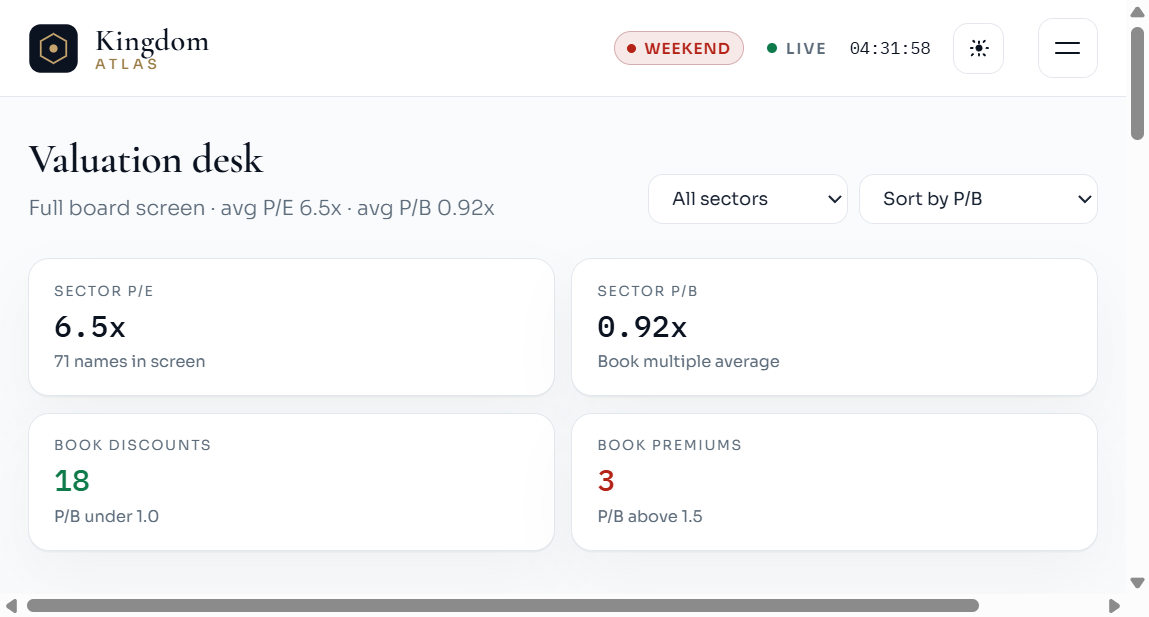
4 · Valuation
This is the screening engine. Filter by sector, sort by P/B or P/E, and read sector averages plus book discounts vs premiums. The peer table shows P/E vs sector; Rule of 72 estimates dividend doubling time for sane yields only.
Peer screenBook discountsP/E vs sectorRule of 72
Valuation — shortlist Deep Discount / Undervalued names in sectors you understand before sizing risk.
5 · Calendar
The Investor Calendar pulls official NSE company documents (AGMs, results, dividends, briefings). Dated events link back to the source PDF on nse.co.ke. Staff research rankings live in the private Admin console, not on the public desk.
Auto refreshRanked ideasThesis + risksLearning memory
Calendar — official NSE documents; open any row for the source link.
6 · News
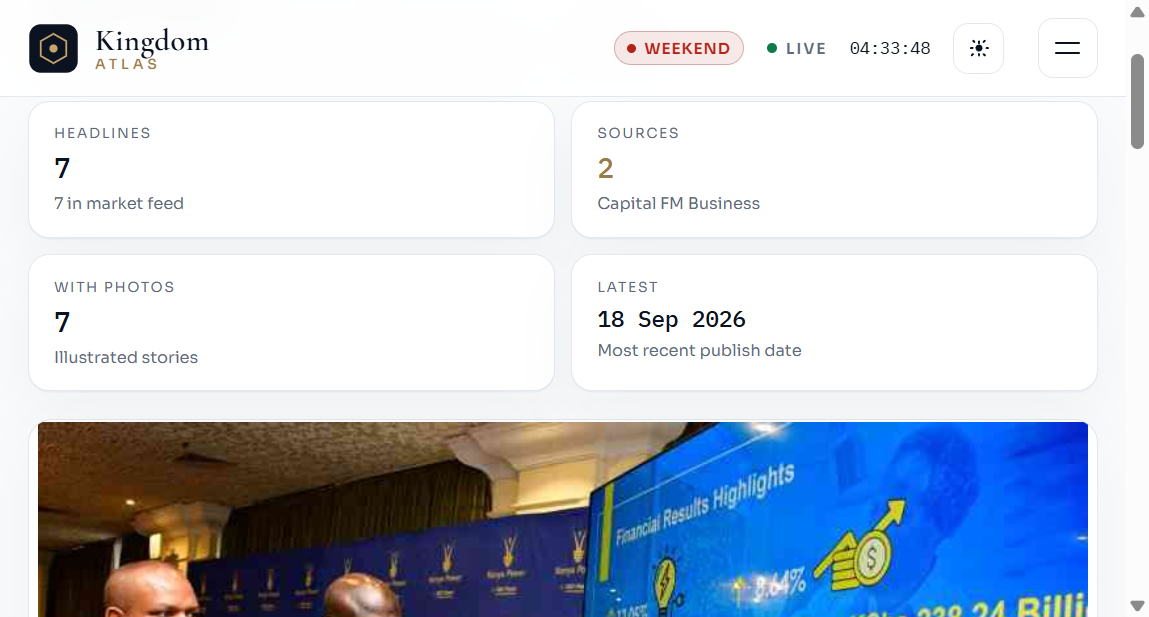
News is filtered to stocks, banks, NSE, CBK, and capital-markets stories with publish dates. Search and source filters narrow the feed. Click any story for the in-desk reader — scrollable panel with byline, body, and publisher credit — instead of a redirect.
News — lead story plus headline cards; Close or Escape returns you to the desk.
How to use this information
Start on Overview — note session open/closed (EAT), feed health (MyStocks / web), and which names the desk prioritises on the watch strip.
Screen on Valuation — filter to a sector you understand; sort by P/B or P/E; shortlist Deep Discount / Undervalued names. Check Rule of 72 only for clean, sustainable yields.
Cross-check Equities — confirm last price, volume (liquidity), yield, and that the status label matches your thesis. Thin volume = harder exits.
Inspect Charts — review structure and liquidity; drawings are for your analysis, not signals from the desk. Prefer local intervals that match your holding horizon.
Check Calendar — note upcoming AGMs, results and dividends from official NSE documents before sizing a thesis.
Scan News — open stories in the reader for earnings, CBK, listings, and corporate actions; always note the publisher credit and date.
Decide offline — SokoDesk does not place orders. Confirm with your broker, company filings, and risk limits before acting.
Practical tips
Theme toggle (sun/moon) switches light/dark; logos adapt blend so marks stay readable.
Weekend / holiday badges mean the tape is closed — prices may be last-close.
Use the About TOC links above to jump back to formulas while you work.
In-desk news reader
Clicking a headline on Overview or News opens a scrollable panel over the desk — you stay on SokoDesk instead of being bounced to the publisher site.
Fetches the publisher page via /api/news/article and extracts readable paragraphs, byline, and hero image when available.
Footer always credits the publisher and offers an optional “Open original” link for the canonical URL.
If the scrape fails, the desk summary is shown so you still have context.
Press Close or the backdrop to return to the feed.
Market hours & status pills
Session logic uses East Africa Time. Status pills in the header show whether the NSE cash market is open, closed, weekend, or holiday-adjacent. The LIVE pill reflects desk feed health (quotes refreshing), not exchange matching-engine status.
Limits, compliance & credits
Not investment advice. Educational / research tooling for independent broker–style workflows.
Fundamentals may be lagged or blended with mock book values when live fundamentals are incomplete.
Web quotes can differ slightly from the exchange tape; always verify before trading.
News text and photos remain property of their publishers (Capital FM, Standard Media, and others). SokoDesk only presents a reading view with explicit credit and the canonical link.
Company marks are used for identification in the desk UI; trademarks belong to their owners.
Illustrative targets and Rule of 72 math are teaching tools — past multiples do not guarantee future returns.
SokoDesk · Nairobi Securities Exchange research desk
Legal
Privacy
How SokoDesk handles contact details, optional email alerts, and advertising cookies.
What we collect
Contact form — name, email, WhatsApp, and your message so we can reply.
Email alerts — email address, frequency preference, and consent timestamp. You confirm before receiving digests when mail delivery is configured.
Essential desk data — session cookies for admin only; public desk does not require an account.
Advertising
Optional AdSense units appear only below the fold (calendar/news strips and footer), never over charts or the live tape. The AdSense script loads only after you choose Allow ads on the consent bar. Choose Essential only to keep the desk ad-free.
Email alerts
Subscribe from the footer strip. Every broadcast includes an unsubscribe link. Admins manage subscribers and sends from the private admin console — SMTP credentials stay on the server.
Retention
Contact messages and alert records are kept for operational reply and compliance. You can unsubscribe or ask us to delete a contact submission.